We are excited to announce several new broker-specific enhancements and features that have been added to the MLS. These tools aim to modernize and streamline administrative tasks related to managing agent accounts on the MLS, as well as provide brokers with more options for allocating tasks to administrative staff.
Here is a brief summary of the new features and enhancements, with additional details provided in the links and graphics below.
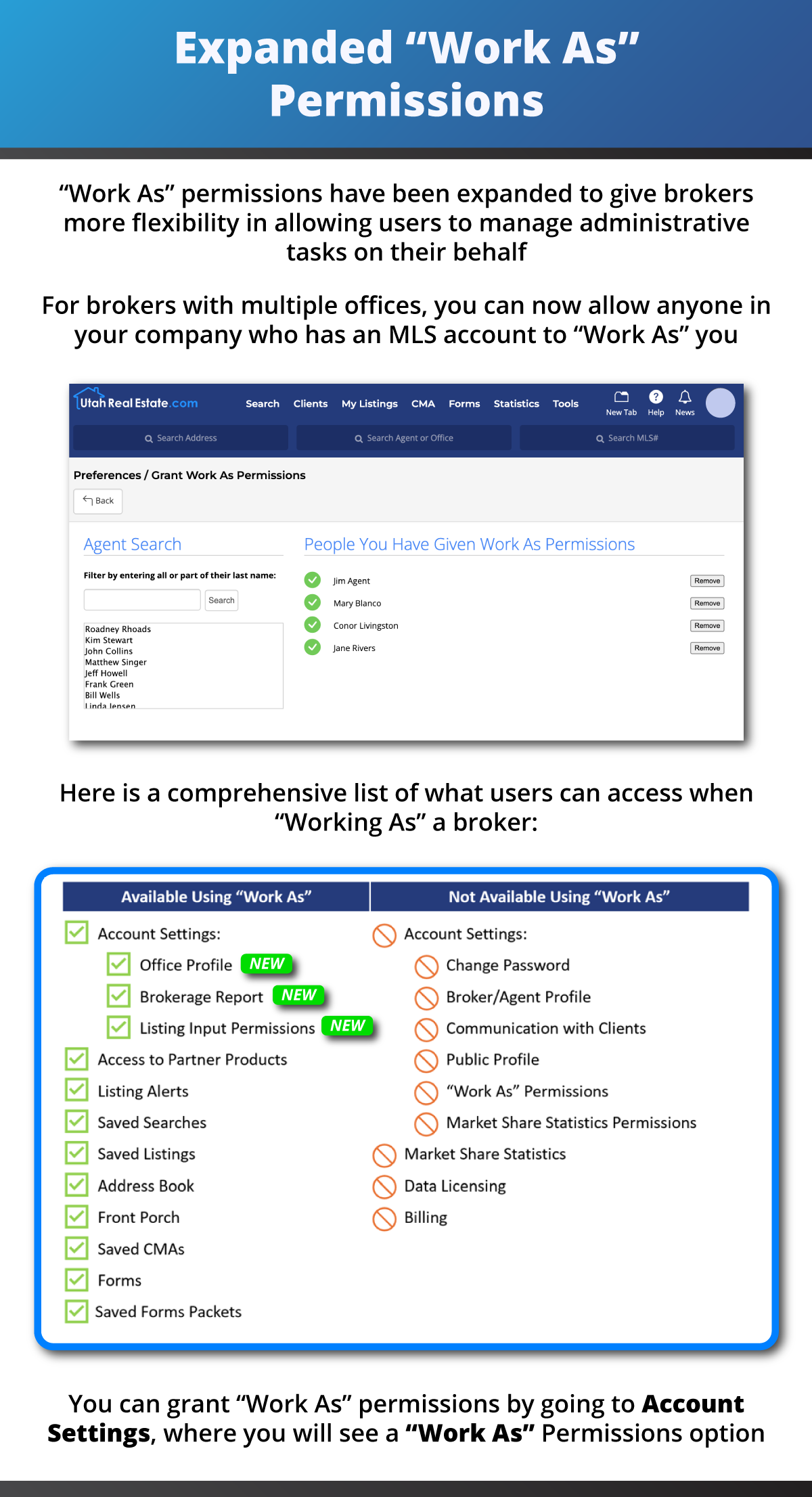
- Expanded “Work As” Permissions: The “Work As” feature is used to allow another user, on a limited basis, to perform work in your MLS account. Previously, “Work As” permissions could only be granted to a user in your office. If you have multiple offices, you can now grant such permissions to anyone in your company. Additionally, users who “Work As” you can now access the new Brokerage Report (details below), assign Listing Input Permissions on your behalf, and edit your Office profile. Learn more
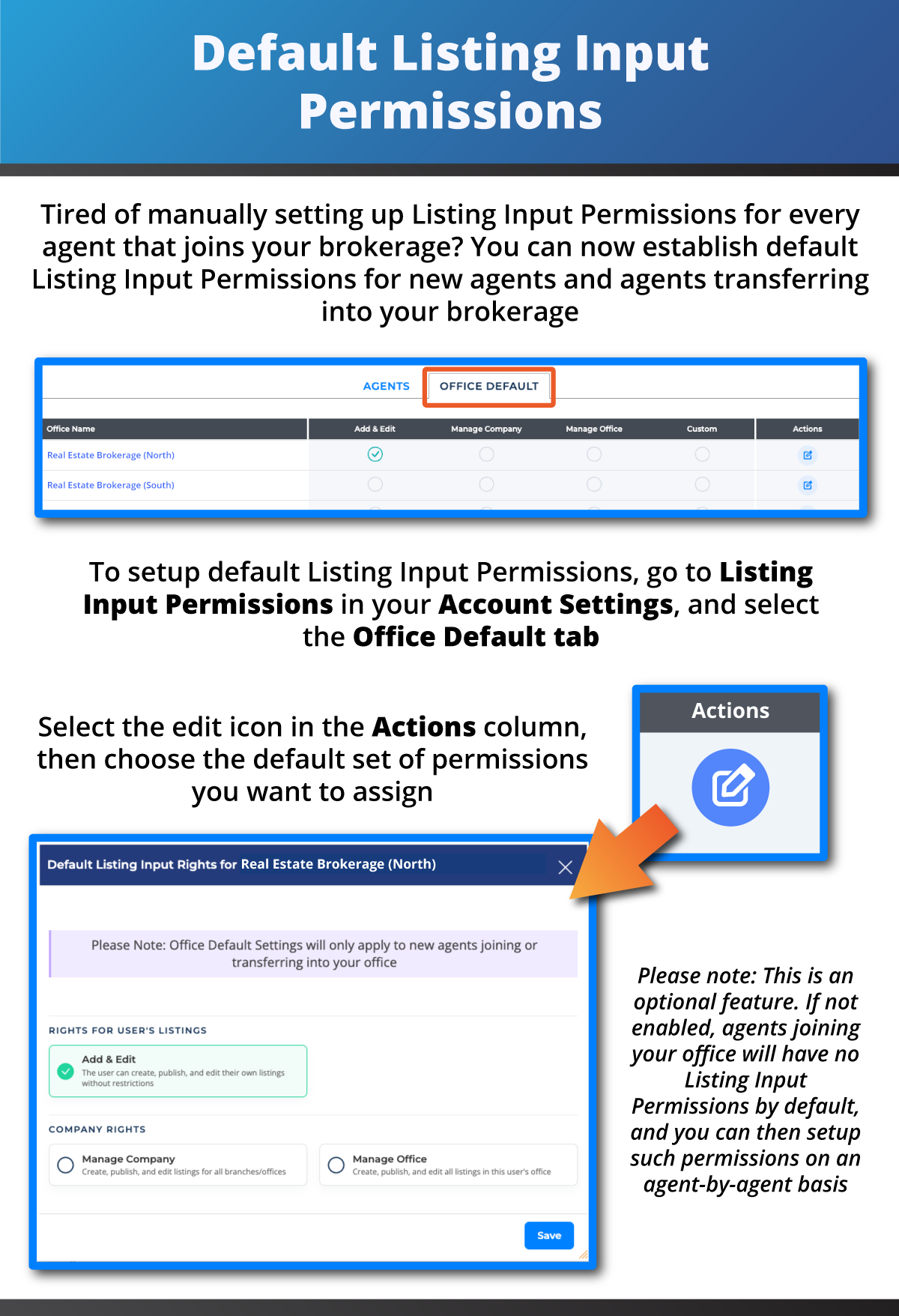
- Default Listing Input Permissions: You can now set default Listing Input Permissions that will automatically be applied to all new agents who join your brokerage. This does not impact permissions previously established for existing agents. Additionally, you still have the option to manually establish Listing Input Permissions on an agent-by-agent basis for all of your agents. Learn more
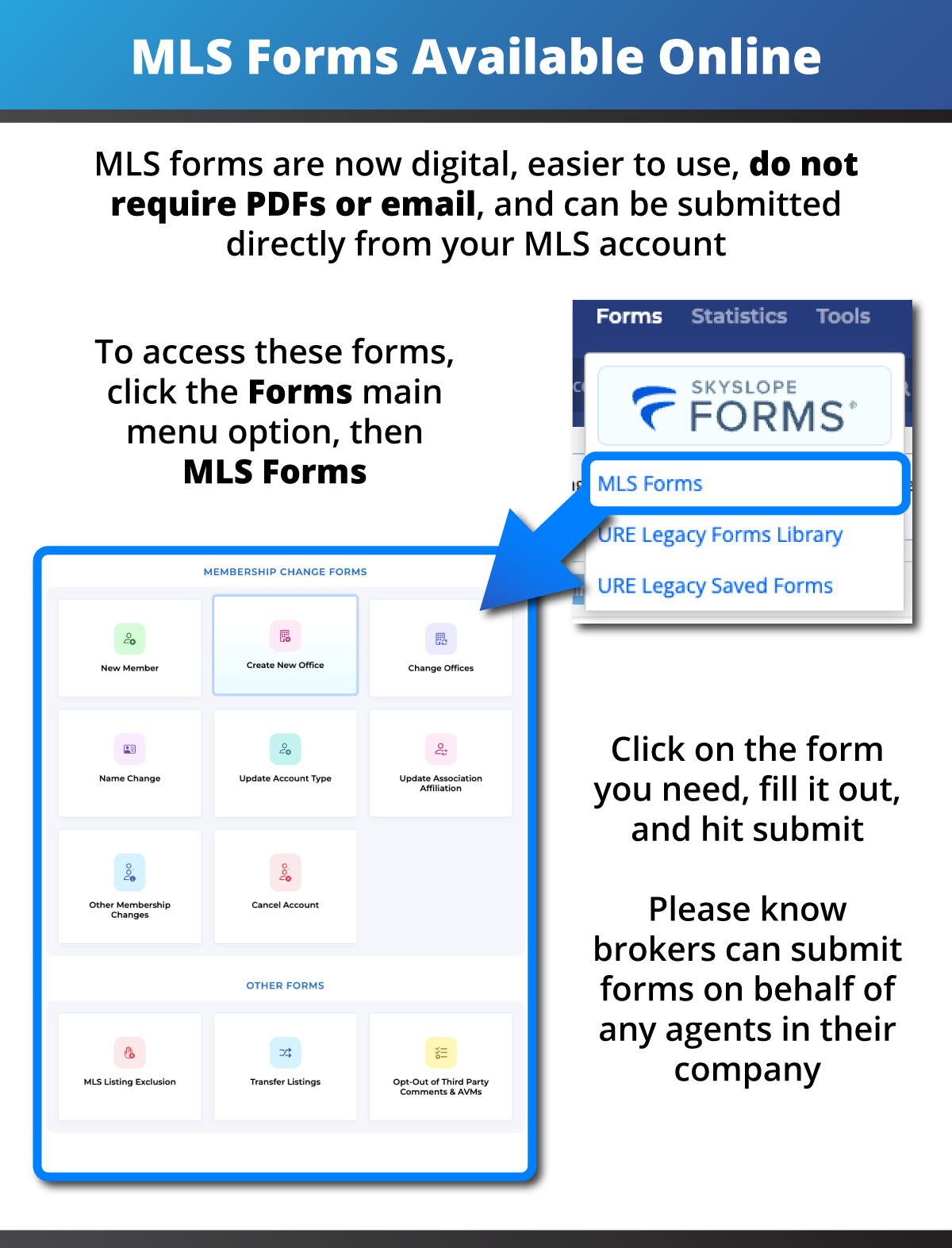
- Online MLS Forms: MLS forms, such as the New Member Form, Office Transfer Form, MLS Listing Exclusion Form, etc., are now all digital, webforms that can be filled out and submitted within your MLS account. You no longer need to fill out PDF versions of those forms and email those to the MLS. This change is intended to ease the administrative burden on brokers and their clerical staff, while also allowing MLS staff to process such requests faster. Learn more
- Note: The only Form still in PDF format is the Listing Transfer Form, as that form requires consent from both brokerages.
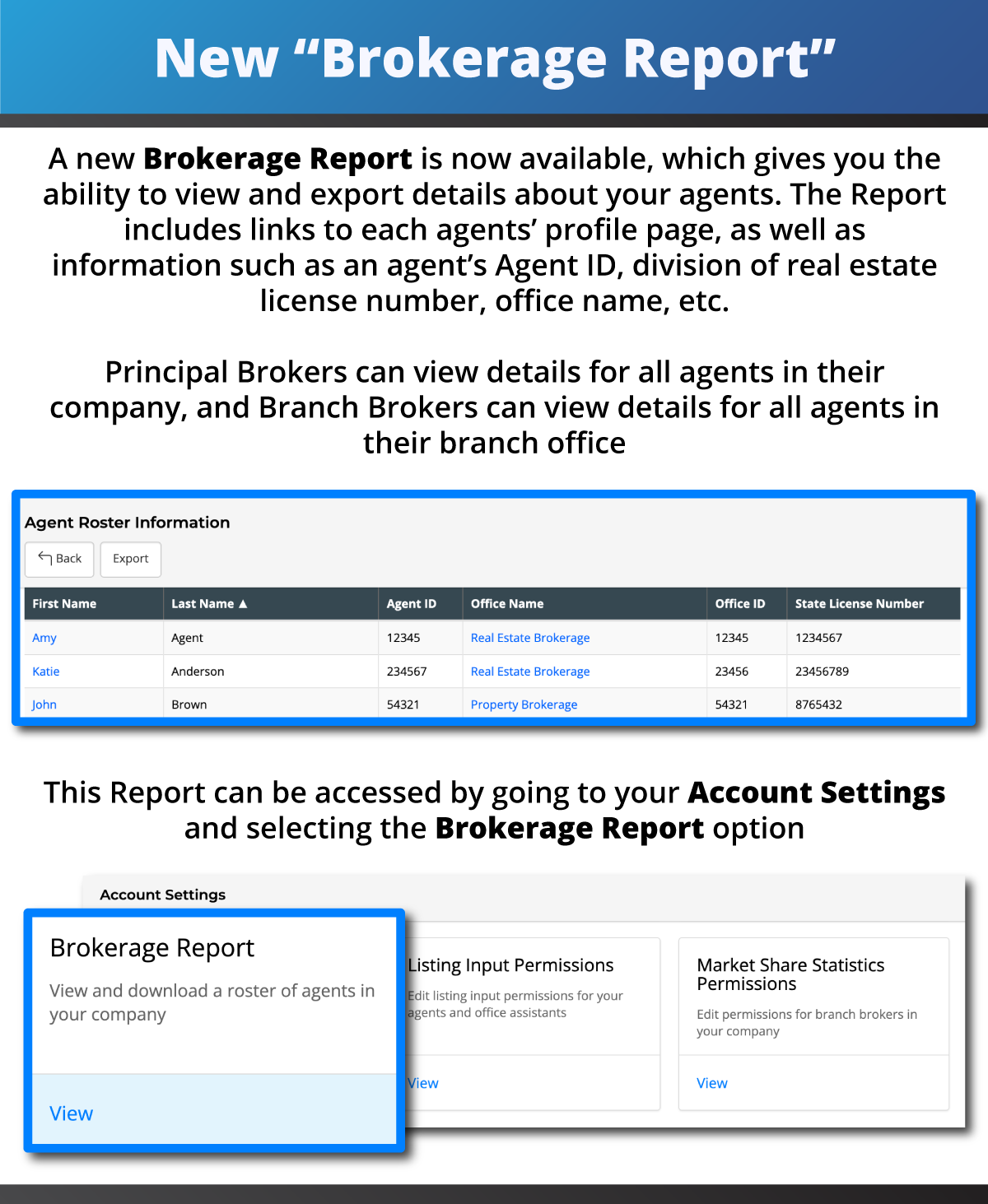
- Brokerage Report: This new report gives Principal Brokers the ability to view and export details about all agents in their company, while Branch Brokers can view and export a similar list for all agents in their branch office. This report includes links to each agents’ profile page (where you can see their contact information, “Active” status listings, recently sold listings, etc.), as well as information such as an agent’s division of real estate license number, office name, Agent ID, etc. Learn more